An admin panel for your existing database

One Rust binary. No framework, no ORM, no Node runtime. Point cartapel at your Postgres, MySQL or MariaDB and get a Django-admin-quality panel — every customization is HCL you version like code. ClickHouse comes along read-only, for browsing.

Try the live demo Get started Star on GitHub

no login needed — click around, it resets daily

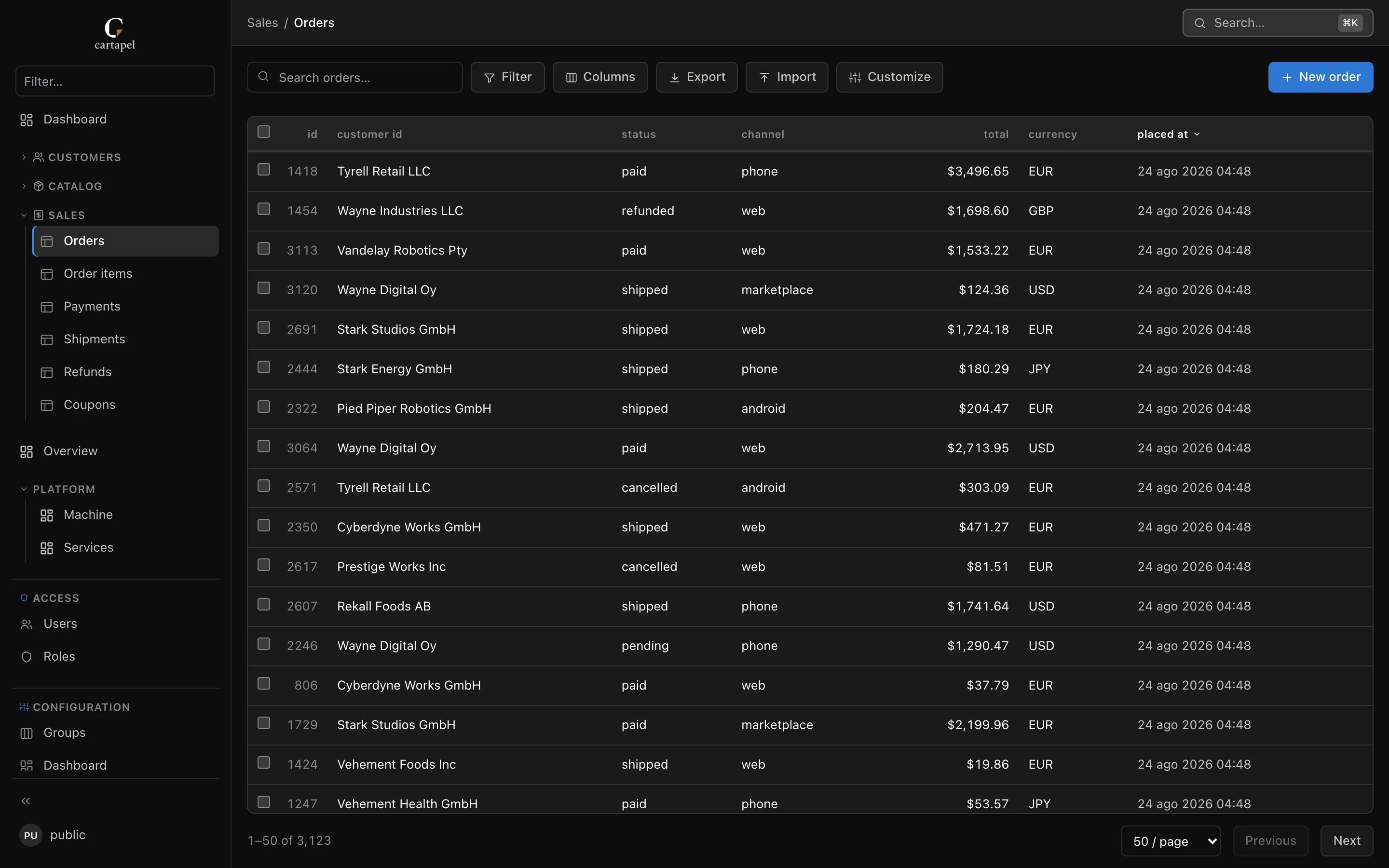
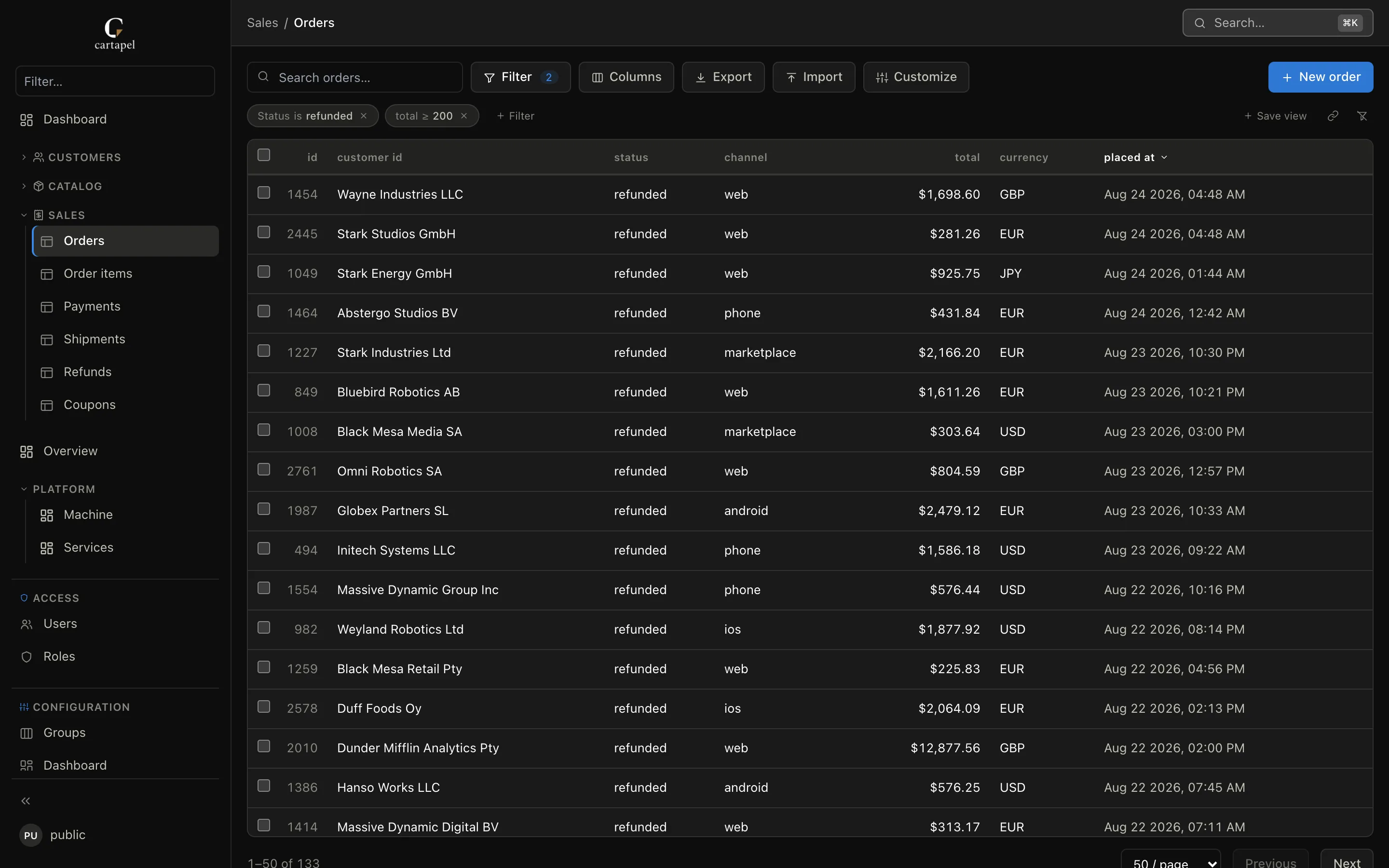
cartapel list view: an introspected orders table with two filter chips applied, saved views, search, export and inline editing

Config as code

A table appears when you give it a file. Columns, primary keys and foreign keys are introspected; an empty file already renders lists with search, filters, sorting and sane widgets. Everything else is a few honest lines of HCL — reviewed in a pull request, not clicked in a GUI.

# screens/sales/orders/screen.hcl
list {
  columns = ["id", "customer_id", "status", "total"]
  filters = ["status"]
  sort    = "-placed_at"
}

field "status" {
  widget = "badge"
  params = { colors = { paid = "green", refunded = "red" } }
}

action "refund" {
  label   = "Refund"
  kind    = "update"
  set     = { status = "refunded" }
  confirm = "Refund {count} orders?"
}

Coming from Django, Retool, Metabase…?

One page per alternative — side-by-side syntax with Django admin, and an honest read on Retool, Metabase, NocoDB, Baserow, Directus and pgAdmin: what each does better, and when cartapel is the wrong tool.

See the full matrix →

Roles, audit, revert

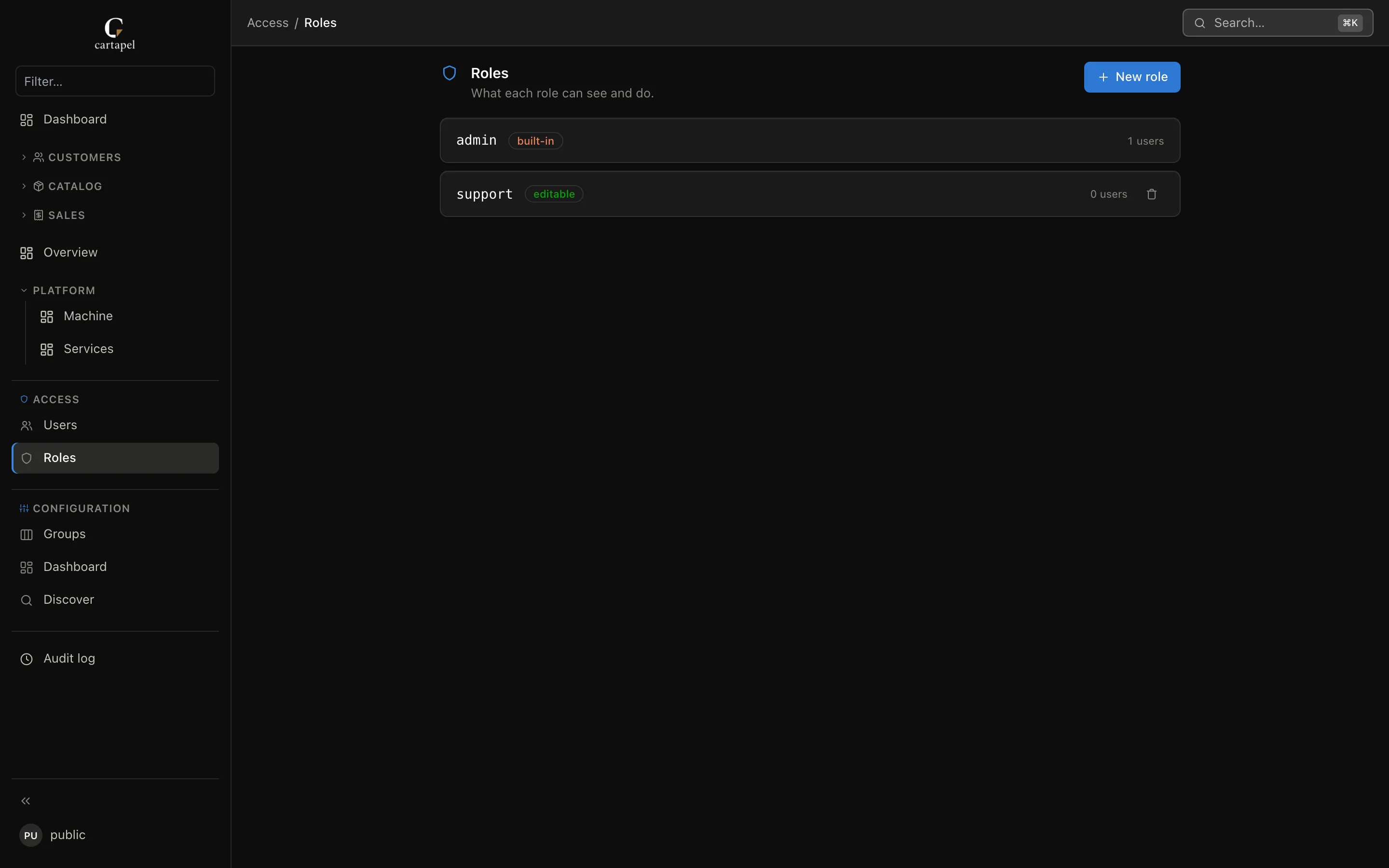
Per-table, per-column and row-level permissions in versioned config — with inheritance and multi-role union. Every write lands in an audit log with before/after diffs and one-click revert.

Dashboards and pages from SQL

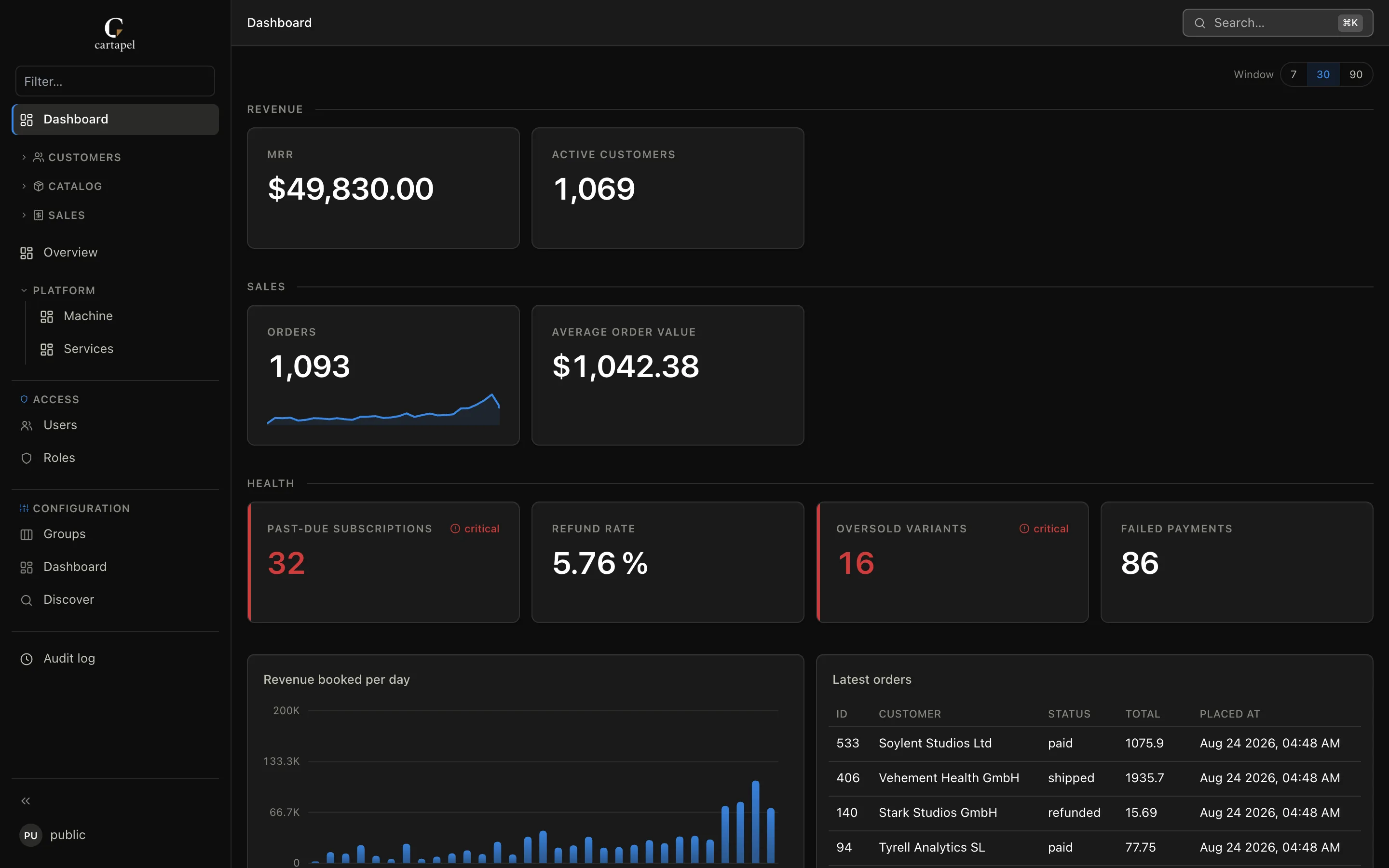
Stat tiles, charts and tables straight from SQL, with template variables and a shareable URL. Add a folder with a screen.hcl and you have a page of your own — live on a refresh clock, or a Grafana panel in an iframe. All read-only, all timeout-guarded.

Zero-config relations

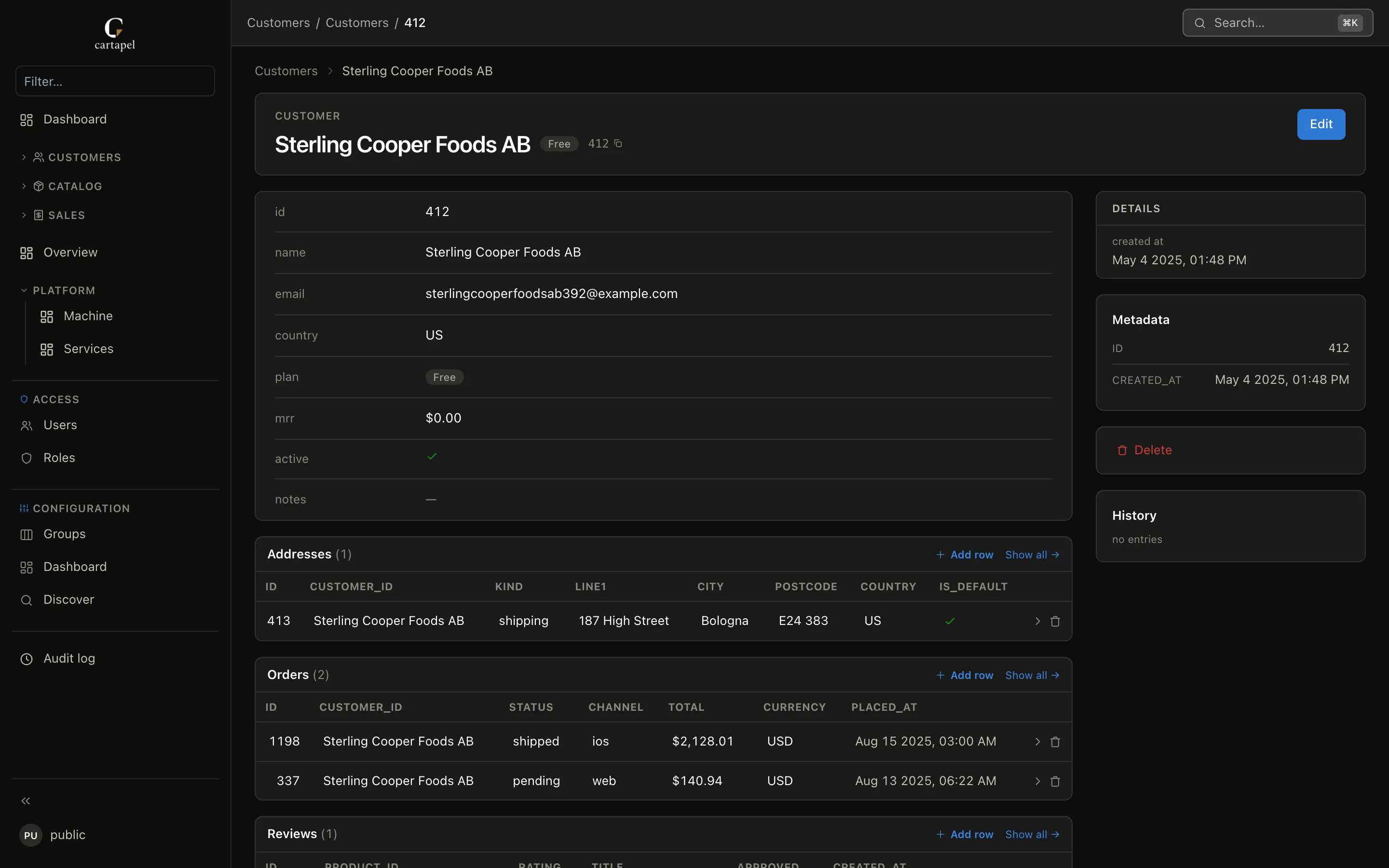
Introspected foreign keys become links and inline child tables on every detail page. No configuration required at all.

One panel, several databases

Postgres, MySQL and MariaDB are fully editable; ClickHouse joins read-only for browsing and SQL. Declare each as a source and mix their tables in the same sidebar.

Yours to theme, in every language

Presets (including a faithful Django look), your accent color, per-mode design tokens — one HCL block, hot-reloaded. Every viewer picks their language; your own tables, fields and panels translate from one dictionary per language, and cartapel i18n extract lists what is left.

Hardened by default

Bound parameters everywhere, secret-shaped columns auto-masked (admins included), signed sessions, read-only dashboard transactions.

A GUI when you want one — a file either way

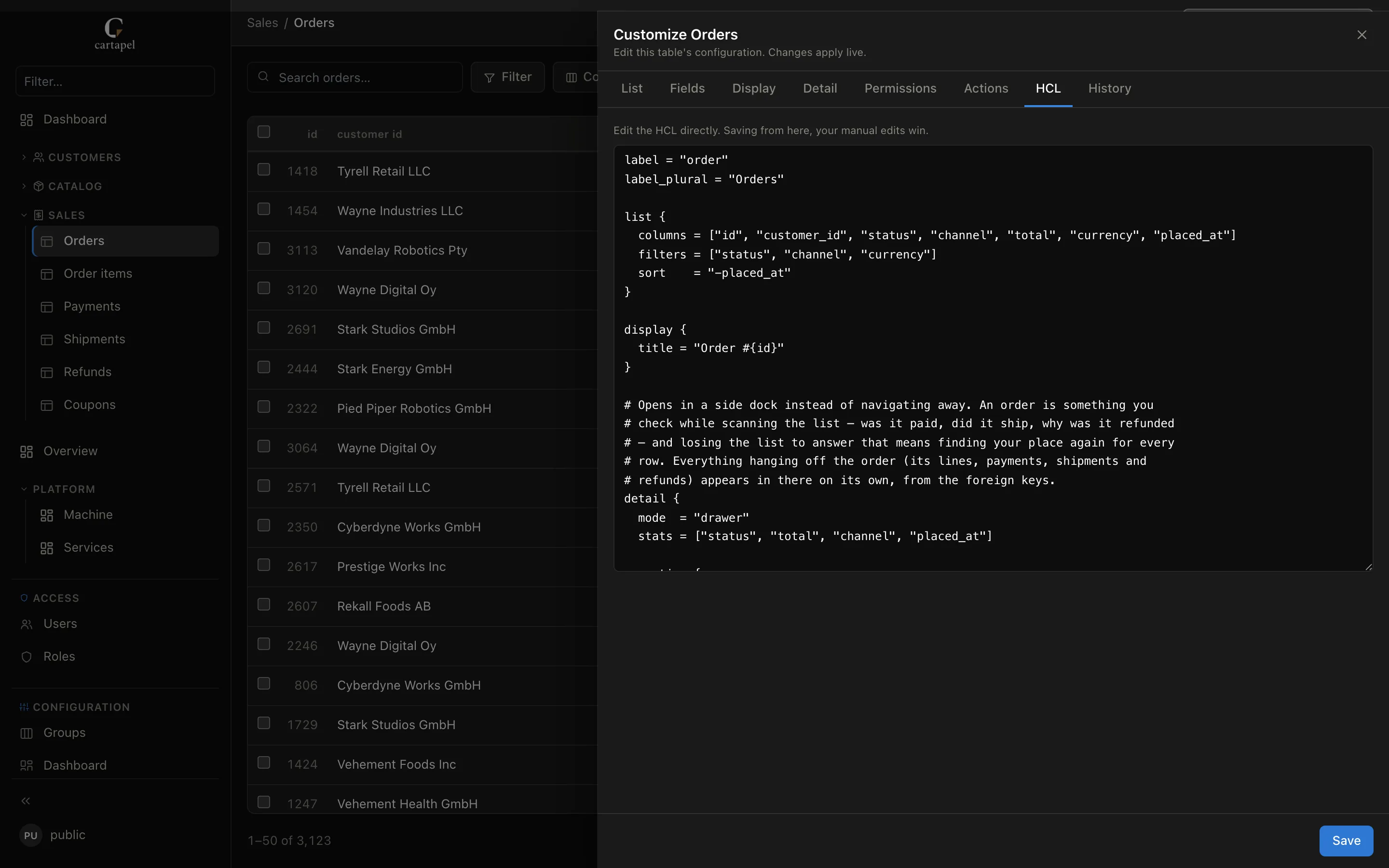
Every table has a Customize drawer: visible columns, field widgets, the detail layout, per-role permissions and actions, edited by clicking. It is not a second source of truth — publishing writes the same screen.hcl your repo holds, and the HCL tab shows you the file before you save it.

On a read-only deployment nothing is written: the panel hands you the HCL to commit. Manual edits and comments in the file win over the editor.

# what the drawer just wrote
list {
  columns = ["id", "customer_id", "status", "total"]
  filters = ["status", "channel", "currency"]
  sort    = "-placed_at"
}

# a comment you added by hand — the
# editor will not clobber it
detail {
  mode  = "drawer"
  stats = ["status", "total", "channel"]
}

The panel, screen by screen

Every one of these is the live demo, untouched. Pick a screen.

A recorded walkthrough of cartapel: filtering an orders list, opening a record in the quick-view dock, a detail page with its related tables, the Customize drawer and the HCL it writes, and the dashboard
Forty seconds of the live demo: filter, quick view, relations, Customize → HCL, dashboard.
cartapel detail page for a customer, with related addresses, orders and reviews rendered from foreign keys
Foreign keys become links and child tables. No configuration at all.
The Customize drawer in cartapel with the HCL tab open, showing the screen.hcl the visual editor writes
Edit by clicking; the HCL tab shows the file it writes before you save.
cartapel dashboard: SQL stat tiles with thresholds, a revenue chart and a latest-orders table
Stat tiles, charts and tables straight from SQL, with template variables.
The roles screen in cartapel, listing roles with their table and column permissions
Roles with inheritance, per column and per row — the same file you review in a PR.
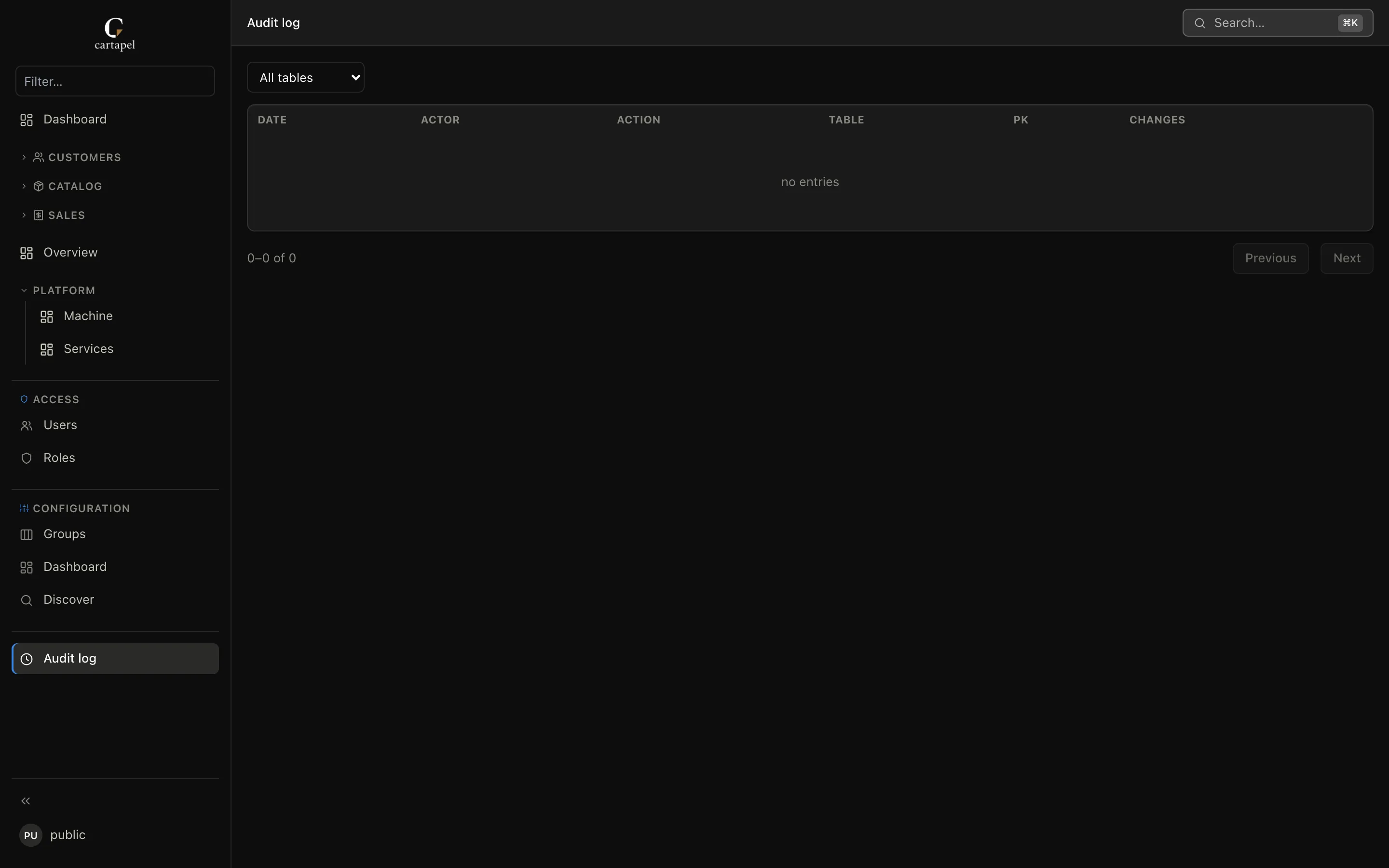
The cartapel audit log, listing who changed which row with the before and after values
Every write, with a before/after diff and a revert button on the entry.
The cartapel panel rendered in Spanish, with the sidebar, controls and column headers translated
Per-viewer language, one dictionary per locale — your data labels included.

Running in one minute

docker run -p 8686:8686 \
  -e CARTAPEL_DB=postgres://user:pass@host/db \
  -e CARTAPEL_SECRET_KEY=$(openssl rand -hex 32) \
  -e [email protected] -e CARTAPEL_ADMIN_PASSWORD=change-me \
  ghcr.io/de-rus/cartapel serve --config /data/admin

The URL is the only thing that names your engine: swap it for mysql://user:pass@host/db to run against MySQL or MariaDB. Nothing else changes.

Or skip the terminal: one-click deploy to Render — it asks for your database URL and drops you into the setup wizard.

Questions

Is cartapel free?
Yes. cartapel is MIT-licensed and free — the whole thing, including roles, audit log and dashboards. There is no paid tier and no per-user pricing.
Does it write to my database?
Never on its own. Your database is only written to when a panel user edits a row, runs a bulk action, or imports data. All of cartapel’s own state — users, sessions, audit log — lives in a separate SQLite directory.
Can I use it with an existing production database?
That is the whole point: cartapel introspects your live schema, so there is no model layer to generate or keep in sync. Tables are an allowlist — nothing is exposed until you register it — every value is a bound parameter, and dashboard SQL runs in read-only transactions with a statement timeout.
How is it different from Django admin or Retool?
Django admin needs a Django app and ORM models kept in sync with your schema; cartapel reads the schema directly and runs beside any stack. Retool is a broader GUI app builder with per-user pricing; cartapel is a free single binary configured as HCL — written by hand or from the built-in visual editor, which shows you the diff and publishes the file — and reviewed in pull requests. There is a page per alternative — Django admin, Retool, Metabase, Directus, NocoDB, Baserow and pgAdmin — each saying where cartapel is the wrong choice.
Does it need Node?
No. The frontend is compiled once and embedded in the binary, so at runtime the only dependency is your database. Pages and dashboards are HCL, so adding one needs no build step and no npm.
How do I deploy it?
Run the Docker image or the bare binary with a database URL (postgres:// or mysql://) and a secret key, and put the small SQLite data directory on durable storage. There is also a one-click deploy to Render that drops you into the setup wizard.

Weighing alternatives? vs Django admin, vs Retool, vs Metabase, or the full matrix.